
Match the mood · Cleared to present & post · Buy once from €29.90
Music for Presentations & Slideshows — Find the Right Mood
Real, studio-recorded music matched to exactly what you’re making — an investor pitch, a keynote, a webinar, or a lifetime of photos. Pick your type in the mood matcher above and get the right feel in seconds, then license it once for €29.90: a lifetime, worldwide licence that clears the track for your deck, for presenting on-screen and for posting the recording online, with no additional GEMA fee on the licence — and on YouTube a Content ID claim may appear, but it is never a copyright strike. Real musicians at the core, not an AI or MIDI-only loop ten thousand other decks reuse.
Curated by Paul Lorenz — composer, arranger & conductor · his Violin Concerto No. 2 recorded by the London Symphony Orchestra at Abbey Road Studios · Vienna State Opera
500M+ streams · Gold & Double Platinum · Instant download · Lifetime worldwide license
Music for Presentations & Slideshows — Find the Right Mood: hand-picked & sync-ready
Listen, then license: €29.90 per track, one-time · worldwide, for life · instant WAV download







The Person Behind the Platform

Paul Lorenz
Founder & CEO · Composer
“I spent 30 years inside the music industry — Abbey Road, the London Symphony Orchestra, the major labels — and watched composers get paid fractions of their worth. Artyfile is the platform I wished existed: investment-grade music, owned outright, with composers who finally share in the upside.”
- 30 years in music — over 500 million streams across his catalog
- Collaborations with Universal Music, Sony Music & Warner
- Composes for the London Symphony Orchestra — his Violin Concerto No. 2 recorded at Abbey Road Studios
- Founder-owned: a named composer behind the catalog, not an anonymous library
Presentation mood matcher · pick your type
What music does your presentation or slideshow need?
The right track supports your message instead of fighting it. Pick what you’re making and we’ll match the mood, energy and how to build it — then find the track below.
Investor pitch / sales deck
Mood & instruments
Driving-optimistic, confident, minimal
Energy
Medium–high
How to build it
Keep a steady, unobtrusive pulse under the numbers; lift slightly on the ask or close slide. No vocal hooks over your voice.
Why it works
Forward momentum signals traction and confidence without fighting the speaker or the data on screen.
The presentation & slideshow music cheat-sheet — best mood by type
| What are you scoring? | Mood & instruments | Energy | How to build it |
|---|---|---|---|
| Investor pitch / sales deck | Driving-optimistic, confident, minimal | Medium–high | Keep a steady, unobtrusive pulse under the numbers; lift slightly on the ask or close slide. No vocal hooks over your voice. |
| Corporate keynote / conference talk | Uplifting corporate, inspiring, cinematic-lite | Medium, rising | A confident walk-on sting sets the room, then drop to a quiet underscore during the talk and swell only at the close. |
| Product launch / demo video | Modern, sleek, tech-forward, electronic | Medium–high | Sync small hits and risers to your feature reveals and motion graphics so the beat lands with each moment. |
| Webinar / e-learning / online course | Calm, unobtrusive, ambient focus | Low | Keep it near-silent under narration; use music only for the intro and outro bumpers, not under the teaching. |
| Town hall / year in review | Nostalgic-cinematic building to triumphant | Low → high arc | Start reflective on piano or strings, build through the year’s highlights, and land on a warm, earned swell. |
| Nonprofit / fundraising / cause deck | Hopeful, cinematic strings, building | Low → medium-high | Build toward the ask, then end open and hopeful rather than on a triumphant button — the ask comes after. |
| Memorial / tribute slideshow | Gentle, reflective, solo piano or strings | Very low | Keep it minimal — no percussion, no dramatic swell. Let the photos and the silences carry the moment. |
| Milestone slideshow (anniversary, graduation, retirement) | Warm, nostalgic, uplifting acoustic | Medium | Keep it light and personal, not epic — a gentle build for a big milestone, more restraint for a small one. |
| Family / general photo-montage slideshow | Sentimental, warm, cinematic-emotional | Low–medium | Follow the arc of the photo timeline and place one clear emotional swell at the single key photo. |
What music works best for a presentation or slideshow?
The best presentation and slideshow music is instrumental and supportive — it sets a mood without competing with your voice or the words on screen. For a business deck (a pitch, a keynote, a webinar) that means calm, confident instrumentals: light piano, soft strings, a gentle corporate build. For a photo slideshow it means something more emotional: sentimental piano, warm strings, nostalgic acoustic. Skip vocal hooks and heavy drums — lyrics fight a speaker, and a big beat pulls focus from your photos. Use the mood matcher above to match a track to exactly what you’re making.
Find the right mood for exactly what you're making
Presentation music isn’t one thing. An investor pitch wants driving-optimistic momentum under the numbers; a keynote wants a confident walk-on that drops to a quiet underscore; a webinar wants near-silence you barely notice; a memorial slideshow wants gentle solo piano and restraint. That’s why we built the matcher above — pick your type and it maps the mood, energy and how to build it. Every Artyfile track is real, studio-recorded music, so it reads as premium in the room rather than like a generic loop.
How do I add background music that plays across every slide?
In PowerPoint, insert the audio on your first slide (Insert → Audio → Audio on My PC), select the audio icon, and on the Playback tab choose Play in Background — that one toggle auto-starts it and carries it across every slide; add Loop Until Stopped if the track is shorter than your talk. Keynote and Google Slides do the same in their own way (Slides plays audio you’ve uploaded to Google Drive). The real question their help pages never answer is whether the track is licensed for a public talk, a recorded webinar or a shared deck — the step-by-step guide below covers each app. Building in Canva? We keep a dedicated Music for Canva guide.
Can I legally use music in a business presentation or webinar?
It depends on where the music is shown, not the software. A €29.90 Artyfile track is a lifetime, worldwide sync + master licence that covers embedding the music in your deck, presenting it on-screen, and posting the recorded version online — for your own and client projects. Playing recorded music live to a large public audience (a conference PA, a trade-show booth) is a separate "public performance" right that the venue or organiser registers, whatever the music source. Most laptop-during-a-talk use isn’t a registered public music event; a big public conference can be. The clearance guide below draws the exact line.
Will my recorded webinar or presentation get muted on YouTube or LinkedIn?
With an unlicensed track, expect an automated match: on YouTube a Content-ID claim that, depending on the rights-holder’s policy, can run ads on your video or mute or block it; LinkedIn runs its own separate copyright-detection system. Artyfile registers its catalog in YouTube Content ID with a monetization policy: a claim may appear on your recorded talk, but it is not a copyright strike and the video stays online. With Basic, ad revenue claimed for the music goes to Artyfile, not to your channel. See how our YouTube clearance works.
Music for memorial, milestone and family photo slideshows
The emotional half of this category deserves its own care. A memorial or tribute slideshow wants restrained, reflective music — solo piano or strings, no percussion, no dramatic swell — so the photos carry the moment (budget roughly 8–12 minutes). Milestone slideshows (an anniversary, a graduation, a retirement) want warm, uplifting acoustic; a general family photo montage wants sentimental, cinematic-emotional music that follows the timeline. Because these videos are so often re-shared afterward, it matters that the track is licensed for that reuse — a beloved pop song is exactly the kind of audio that gets silenced on upload at the moment it matters most. For a memorial or tribute slideshow, our dedicated memorial collection is chosen with extra care. Making a wedding slideshow or a birthday montage? We have dedicated collections for those too.
Buy once vs subscribe — why a flat licence wins the decks you'll reuse
A business makes many presentations, so a track you buy once and reuse in every future deck beats a subscription you rent forever. One Artyfile purchase is €29.90 for a lifetime, worldwide licence that explicitly covers your own and client projects (the licence stays with you and is non-transferable; your client receives the finished deliverable) — a signature intro sting or a recurring webinar theme can run for years. Subscription libraries work differently: their cheapest tiers exclude business and client use, and coverage lapses when you stop paying (a deck published while subscribed stays cleared; a new deck after you cancel isn’t). And with Limited Edition you can own a share of the master and receive a pro-rata share of its revenue — not guaranteed and may be zero; a soft aside, not a hard sell. See pricing & licenses.
Real musicians, not AI or MIDI-only loops
What actually makes a track read as premium in a board deck, an investor pitch or a keynote is that it’s played by real musicians — real orchestras, ensembles and players at the core, curated by composer Paul Lorenz, who has worked with the London Symphony Orchestra — rather than an AI-generated or MIDI-only stock loop that ten thousand other decks reuse. The credibility shows the moment the room matters. Preview any track below and hear the difference.
Add music to any deck
How to add music to your slides — and get it cleared
PowerPoint, Keynote and Google Slides all let you add background music that plays across your slides — but none of them clears the track for you. Here’s how to add music in each, and the one thing their help pages leave out: whether that music is actually licensed for how you’ll present and share it.
PowerPoint
How to add it
Insert your track on the first slide (Insert → Audio → Audio on My PC), select the audio icon, then on the Playback tab choose “Play in Background” — that one toggle auto-starts it and carries it across every slide. Add “Loop Until Stopped” if the track is shorter than your talk.
The catch
Microsoft’s own steps never mention licensing. Free stock loops and in-app “free” music are usually cleared for personal or internal use only — a public talk, a recorded webinar or a client deck falls outside that.
The safe way
Embed a real Artyfile track: one licence clears the deck and any recorded or shared version, for life.
Keynote
How to add it
Add audio in the Document sidebar (Audio → add a file) so it plays across the whole presentation, and set it to start automatically.
The catch
Keynote ships no royalty-free music library, and a DRM-protected track (an Apple Music stream) can’t be used as a Keynote soundtrack at all — any music you add needs its own commercial licence.
The safe way
Drop in an Artyfile WAV or MP3: original, DRM-free and cleared to present and post worldwide.
Google Slides
How to add it
Slides plays audio only from Google Drive — upload your track to Drive first, then Insert → Audio and pick it; set it to start automatically and hide the icon during the show.
The catch
Uploading a file doesn’t license it. A ripped song or an unlicensed download is still unlicensed the moment the deck is shared or recorded.
The safe way
Upload a licensed Artyfile track instead — cleared for the presentation and every place you share it.
Canva
How to add it
Building your deck in Canva? Adding music there has its own rules — including which library tracks you may actually use commercially.
The catch
We keep a dedicated guide for Canva so you get the exact steps and the licensing picture in one place.
The safe way
See our Canva guide for the full walkthrough.
Music for Canva →However you present, the rule is the same: the software will play almost any file — but only a properly licensed track is cleared for a public talk, a recorded webinar or a shared client deck.
What your licence actually covers
Can I legally use music in a presentation, webinar or slideshow?
The short answer: it depends on where the music is shown, not which app you built the deck in. An Artyfile licence is a one-time, worldwide sync + master licence — here’s exactly what that clears, and the one thing that’s handled separately.
Your Artyfile licence covers
- Embedding the track in your PowerPoint, Keynote, Google Slides or video file
- Presenting it on screen — in a meeting, a pitch, a classroom or a webinar
- Recording the talk and posting it on YouTube, LinkedIn, Vimeo or your own site
- Reusing it across future decks and in projects for your clients or employer
- Worldwide use, for life — no subscription, no extra collection-society fee on the licence
Handled separately (not a limit of the music)
- Playing recorded music out loud to a large public audience — a conference PA, a trade-show booth — is a “public performance,” a right the venue or event organiser registers, whatever the music source.
- Most laptop-during-a-talk or internal-meeting use isn’t a registered public music event; a big public conference can be — when in doubt, ask the organiser.
No extra GEMA fee on the licence
Artyfile administers its own rights, so a track synced into your presentation carries no additional GEMA fee on the licence — you receive a full sync and master licence with a certificate documenting it. That covers putting the music in your file, presenting it, and posting the recording. Playing recorded music live to a large public audience — a conference PA, a trade-show booth — is a separate public-performance matter the venue or organiser settles with GEMA, as with any music; most laptop-during-a-talk use isn’t a registered public music event, but a big public conference can be.
Will a recording get muted on YouTube or LinkedIn?
With an unlicensed track, expect an automated match: on YouTube a Content-ID claim that, depending on the rights-holder’s policy, can run ads on your video or mute or block it; LinkedIn runs its own separate copyright-detection system. Artyfile music is registered on YouTube with a monetize policy — your recorded webinar or talk is subject to YouTube Content ID rules for using it.
Cost comparison · buy once vs subscribe
Buy the tracks you use — or rent a whole library forever?
How many tracks will you actually use?
Same tracks, priced two ways
Artyfile — buy once
One-time · keep every track for life · reuse in unlimited future videos · safe everywhere
€149.50
one-time · yours for life
Subscription library
Recurring — only valid while you keep paying; stop and you can’t use the tracks in anything new
€432–€720 over 3 yr
recurring
“Free” / royalty-free
No upfront cost, but risk of a Content ID claim, no off-platform licence and nothing you own
€0
risk later
From €149.50 one-time — versus €432–€720 to rent. And every Artyfile track is yours for life.
Subscription figures are typical market ranges for the major libraries’ personal and commercial plans and vary by tier and term. Only Artyfile’s price is exact: €29.90 per track, one time, with sync + master cleared together — no extra GEMA fees, subject to YouTube Content ID rules.
How it's made
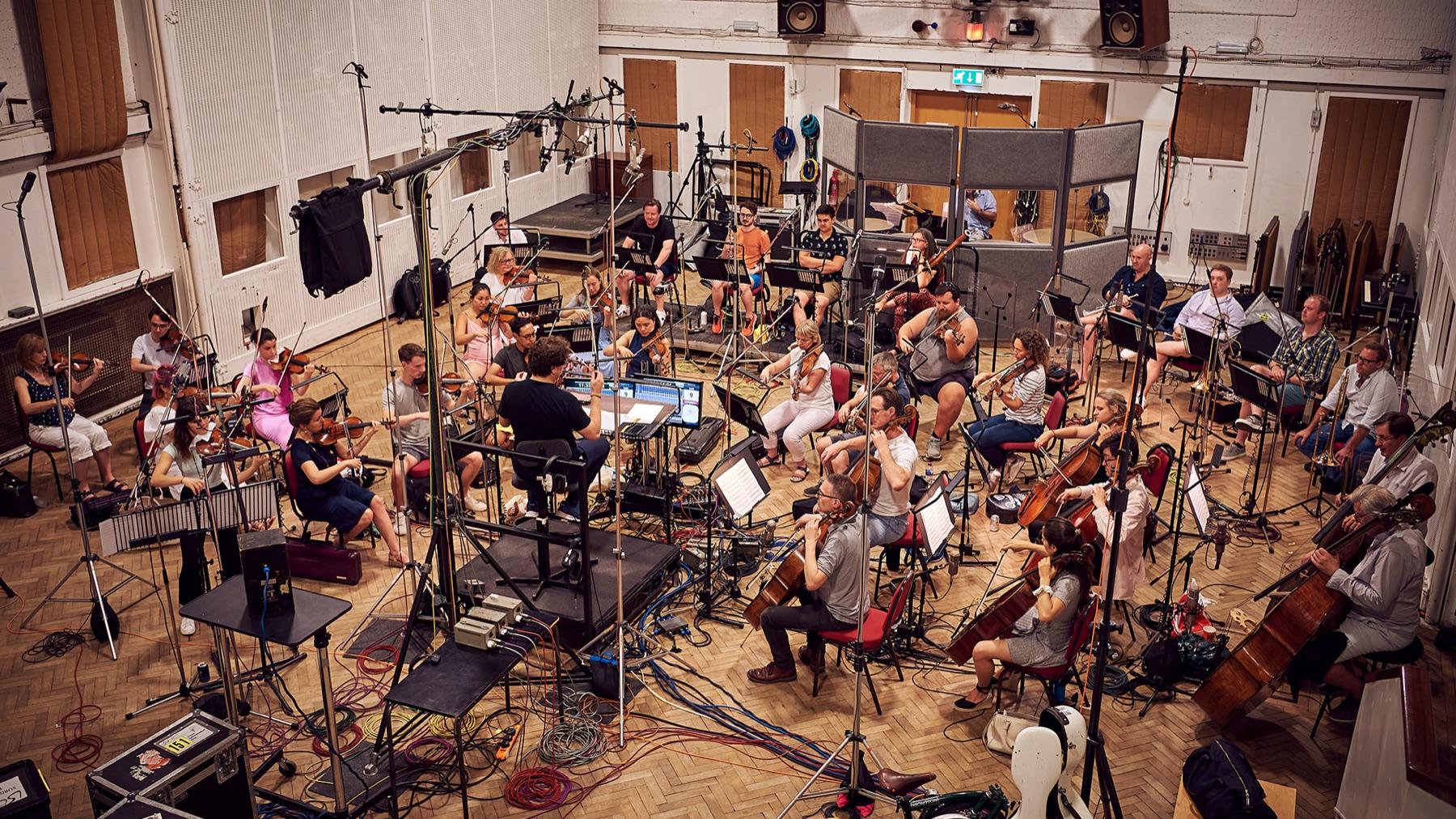
A real orchestra. At Abbey Road. For your video.
Artyfile’s orchestral recordings begin where the great film scores do — real players in a real room. Our flagship is Paul Lorenz’s Violin Concerto No. 2, performed by the London Symphony Orchestra at Abbey Road Studios; the wider catalogue is played by the Artyfile Orchestra, world-class session musicians at studios like Abbey Road. Every recording is then finished with the professional studio craft used on modern film scores. That is the depth and humanity AI-generated music and MIDI-only libraries cannot fake — and, unlike AI tracks, every recording carries clear human authorship and fully documented rights you can license with confidence.
- London Symphony Orchestra
- Abbey Road Studios, London
- Conductor: Donato Cabrera
- 44.1 kHz studio WAV
Listen: Violin Concerto No. 2 — London Symphony Orchestra
Composed by Paul Lorenz, recorded at Abbey Road Studios. Composition and master with one rights holder — a recording no other music library can license.
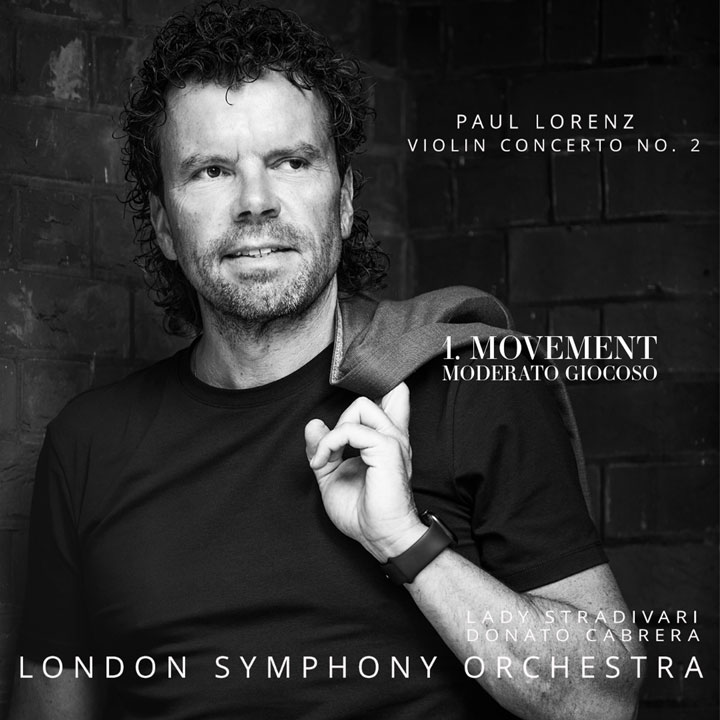
Violin Concerto No. 2: 1. Moderato Giocoso
London Symphony Orchestra
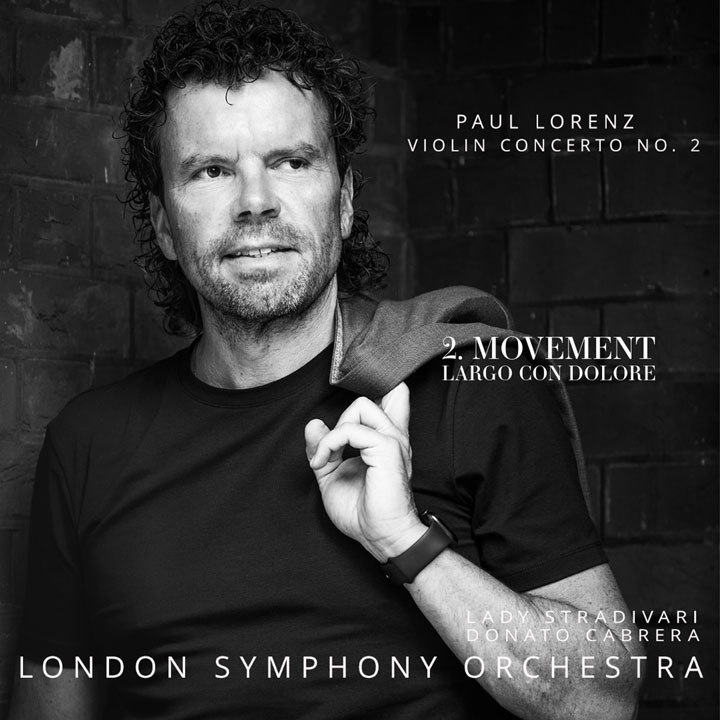
Violin Concerto No. 2: 2. Largo Con Dolore
London Symphony Orchestra
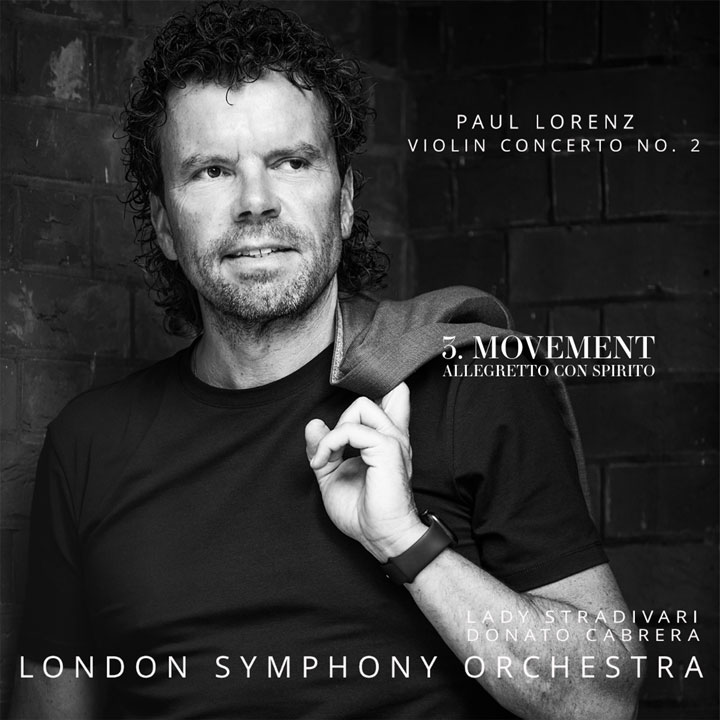
Violin Concerto No. 2: 3. Allegretto con Spirito
London Symphony Orchestra
Why Artyfile
Real Orchestras, Not AI
Recorded with real orchestras — including the London Symphony Orchestra at Abbey Road — and produced to film-score standard, never AI-generated stock.
Fully Cleared
Sync & master rights managed directly by Artyfile, for life & worldwide. No extra GEMA fees, YouTube Content ID rules apply.
Beyond Licensing
With Limited Edition you own a share of the master and earn streaming & sync royalties.
Instant Download
Studio-grade 44.1 kHz WAV, the moment you buy. No subscription.
Frequently asked questions
Can I legally use music in a PowerPoint, Keynote or Google Slides presentation?
It depends on where it’s shown, not the software. A private internal meeting carries little risk; the moment you present publicly, record it and post it online, or share a client deck, the music needs a proper sync licence covering both the recording and the composition. A €29.90 Artyfile track is cleared for the deck and any recorded or online version, so there’s no guesswork.
Is it legal to play music live during a presentation or conference talk?
Playing a track out loud to an audience beyond friends and family is a "public performance" — a right separate from the sync licence that covers the music inside your recorded deck or video. Your Artyfile licence clears the sync and master use of the file; a large live public event (a conference PA, a trade-show booth) is a separate public-performance matter usually handled by the venue or organiser. Most laptop-during-a-talk use isn’t a registered public music event — a big public conference can be.
How do I add music that plays across all slides in PowerPoint?
Insert the audio on your first slide (Insert → Audio → Audio on My PC), click the audio icon, then on the Playback tab choose "Play in Background" — that one toggle auto-starts it and carries it across every slide; add "Loop Until Stopped" if the track is shorter than your talk. The real decision is whether that track is licensed to be embedded and shared — free stock loops and in-app "free" music often aren’t, for anything outside personal or internal use.
Will YouTube or LinkedIn mute my recorded presentation if it has music?
With an unlicensed track, expect an automated match: on YouTube a Content-ID claim that, depending on the rights-holder’s policy, can run their ads on your video or mute or block it; LinkedIn runs its own separate copyright-detection system that can flag or mute it too. Artyfile music is registered in YouTube Content ID with a monetization policy: a claim may appear (with Basic, ad revenue claimed for the music goes to Artyfile), but it is not a copyright strike and your recorded talk stays online.
What music is best for a corporate or investor presentation?
Calm, uncluttered instrumentals — light piano, soft strings, a gentle corporate build — support the speaker instead of fighting the voice or the data on screen; avoid heavy drums or vocal hooks. Because Artyfile is real musicians at the core rather than an AI or MIDI-only loop, it reads as premium in a board deck or pitch, where a generic stock loop can quietly undercut your credibility.
What music should I choose for a memorial or funeral slideshow?
Reflective, restrained music — solo piano or strings, no percussion or dramatic swell — lets the photos carry the moment; budget roughly 8–12 minutes. Because these videos are often re-shared afterward (a family group, a memorial page, sometimes YouTube), it matters that the track is properly licensed for that reuse — a beloved pop song is exactly the kind of audio that gets silenced on upload at the moment it matters most.
Can I reuse one licensed track across many presentations or client decks?
Yes. One €29.90 Artyfile purchase is a lifetime, worldwide licence that explicitly covers your own and client or employer projects (the licence stays with you; your client receives the finished deck or video), so a signature intro sting or a recurring webinar theme can run for years across every future deck. Subscription libraries handle this differently: their cheapest tiers exclude client work, and coverage lapses when you stop paying.
Is "free" or royalty-free music really safe for a business presentation?
Not always. Much "copyright-free" library music is still registered and can trigger a Content-ID claim, and in-app "free" music (Canva’s Popular Music, tool-bundled tracks) is licensed for personal or internal use only — a sales pitch, investor deck or anything shared externally falls outside that grant. A one-time commercial sync licence removes the ambiguity.